






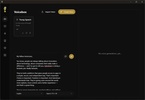
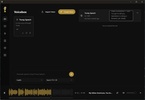
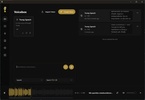
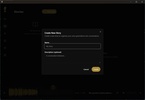

Voicebox is an open-source app that turns your Mac into a small local voice synthesis and cloning studio. It uses the Qwen3-TTS model to generate realistic audio directly on your device, without relying on cloud services, tokens, or paid subscriptions.
A voice cloning app designed for macOS
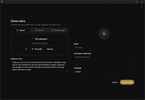
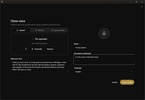
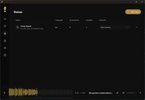
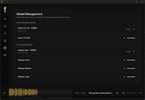
With Voicebox, you can create voice profiles from a few seconds of reference audio (up to 30 seconds). The Qwen3-TTS model analyzes tone, timbre, and accent to reproduce them with considerable fidelity. You just have to upload a voice file or record one from your Mac's microphone, specify what was said, or use the automatic transcription, and you'll have a profile ready to generate new audio without having to repeat the process.
Generate audio with custom voice profiles
Once you have a saved profile, simply type the text you want and Voicebox will produce audio with that voice. This allows, for example, you to translate phrases into other languages while maintaining your tone, so you can create home dubs or generate voices for video game projects. You can also export voice profiles and share them with other users so they can generate audio on their own devices.
Automatic transcription and system sound capture
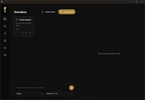
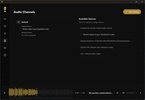
The app integrates Whisper, which converts audio into text and synchronizes it with the generated voice. This makes it easier to edit dialogue directly on the timeline, adjusting pauses or correcting pronunciation without losing the consistency of the voice profile. Additionally, it includes system audio capture, which allows you to record the sound on your Mac (from a game or a call, for example) and use it as a reference for new clones or audio scenes.
Local voice server and API for other projects
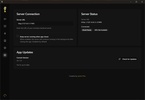
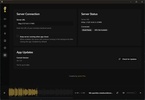
Voicebox is more than just its graphical interface; it can also function as a local voice server thanks to its integrated REST API. You can activate it with a single click, send text from games, apps, or AI agents, and get the generated audio in standard format. This facilitates narration, dialogue, or notification automation without relying on external services. The app is developed with Tauri, Rust, and Python, which makes it lighter than many Electron-based alternatives. Even so, performance will depend on how powerful your Mac is and how the Qwen3-TTS model is set up, as all processing is performed locally.
Create narrated stories with any voice
Voicebox also features a section for generating narrated stories. You just have to indicate what you want to happen, and the app will produce the content using the voice you selected. This is a useful feature for creating fun content, children's stories, or voice sketches.
My experience using Voicebox on Mac
When I tested Voicebox on macOS, the cloning process was quick and easy: a few seconds of audio were enough to create a profile and generate several voice clips on the timeline. The experience is smooth, although some advanced options are still missing, such as adding more samples to improve quality or fine-tuning the cloned voice.
What I liked most about Voicebox and what could be improved
· What I liked most: the entire cloning and synthesis process is performed locally on your Mac, without depending on the cloud or paying for subscriptions.
· What I would improve: greater voice customization and support for multiple audio samples, as this would help achieve more realistic results. Additionally, generation time may vary depending on your device's power and the chosen model.
Download Voicebox and turn your Mac into a fully local voice cloning and synthesis studio that supports Qwen3-TTS and Whisper.
Voicebox is for you if
✓ You want to clone voices and generate spoken audio on macOS without relying on cloud services.
✓ You work with podcasts, dubbing, games, or AI agents and need a timeline editor for voice scenes.
✓ You prefer a local, private, and open-source solution that you can integrate into other projects.


















Comments
There are no opinions about Voicebox yet. Be the first! Comment